Easier smartphone use

If your smartphone feels too complicated or simply overwhelms you, here are some tried-and-tested ways to make it calmer, clearer and simpler. You can't break anything and you can change everything back at any time.

For some people, a fundamentally simplified mode is the biggest step towards greater peace of mind. You can find it further down this page.

See more clearly

Larger text, stronger contrasts and fewer visual distractions help you grasp content faster and reduce eye strain.

Increase text size

Open Settings > Accessibility > Display & Text Size > Larger Text and slide the slider to the right until the text is easy to read.

Enable display zoom

Open Settings > Display & Brightness > Display Zoom and select “Larger”. This will make all controls appear larger.
Less distraction

Fewer notifications and a calmer display help you concentrate better.

Reduce notifications

Open Settings > Notifications. Turn off notifications for unimportant apps or allow them only without sound.

Use Focus / Do Not Disturb

Open Settings > Focus > Do Not Disturb. Allow only important people or apps – everything else remains quiet.

Easier to use

Larger controls and simplified operation make use safer and more enjoyable.

Tip Activate simplified mode (Assistive Access)

Open Settings > Accessibility > Assistive Access. You will then be guided through several steps and can reduce your iPhone to a few large and clear functions.

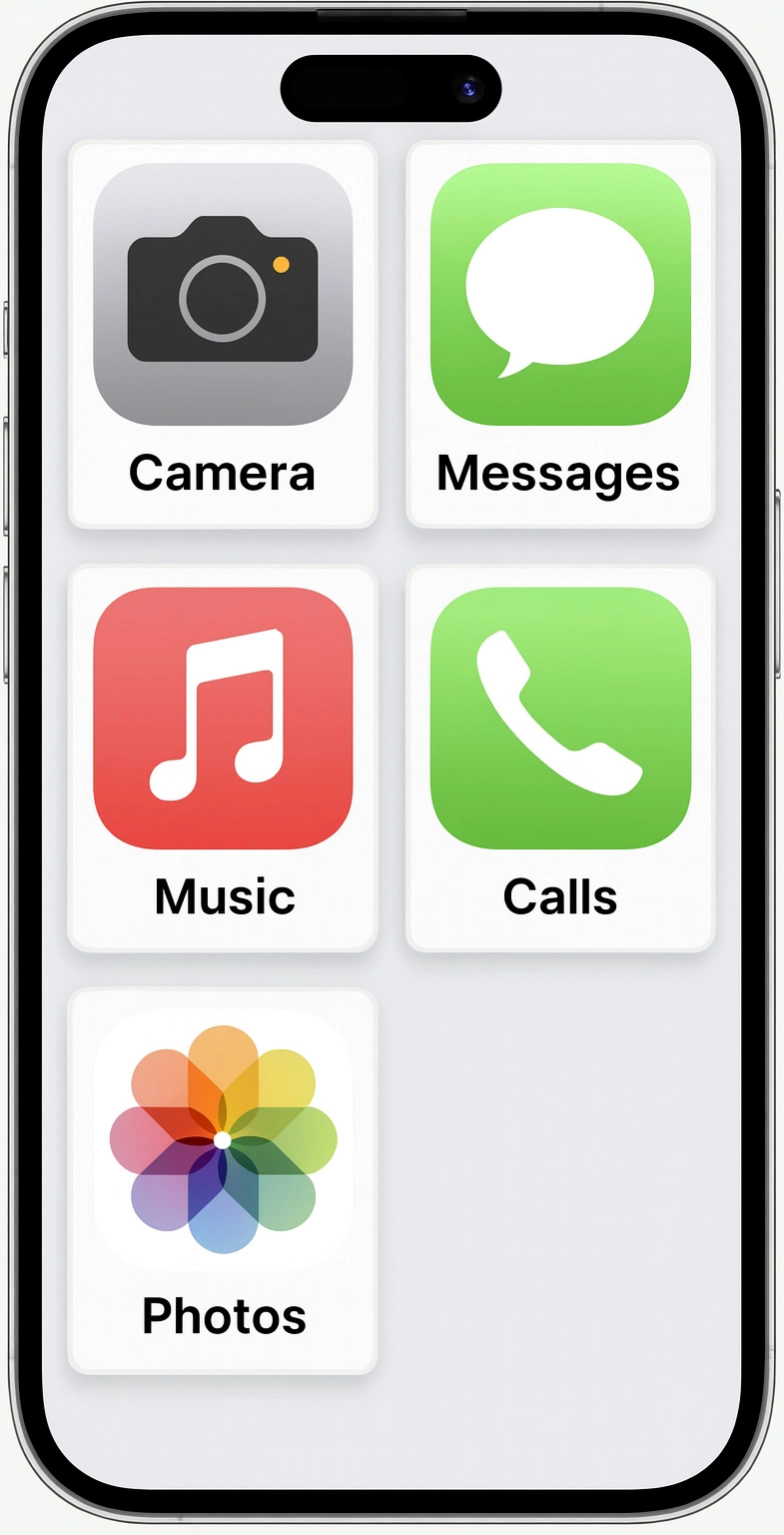
Home screen of an iPhone with simplified view. Large, square app tiles with plenty of space between them show the most important functions: camera, messages, music, calls and photos. Each app has a clear icon and easily legible labelling. The interface is reduced to a few elements and designed for ease of use.
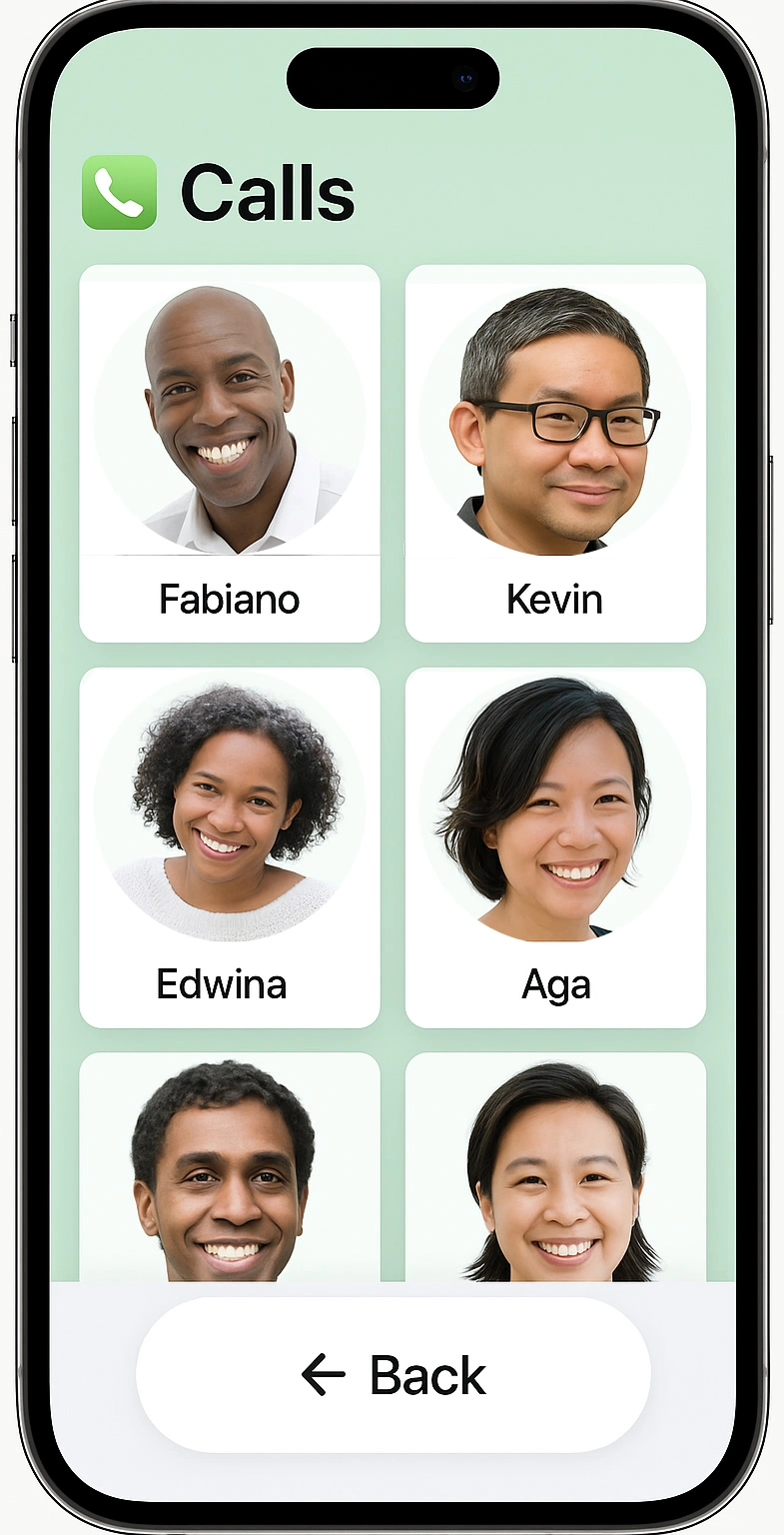
Contact overview on an iPhone in simplified view. The screen shows large contact tiles with portrait photos and names, including Fabiano, Kevin, Edwina and Aga. At the top is the heading ‘Calls’ with a telephone icon. At the bottom is a large ‘Back’ button for returning to the previous screen. The interface is clear, with large spacing and easy-to-read font for simple operation.
Camera view on an iPhone with a simplified user interface. The heading ‘Camera’ appears at the top. In the middle is a preview showing the sky, sea and a single pink cloud at sunset. Below this is a large yellow ‘Take Photo’ button with a camera icon. At the bottom is a clearly highlighted ‘Back’ button for returning to the previous screen. The interface is high-contrast and reduced to a few easily recognisable controls.

Use AssistiveTouch

Open Settings > Accessibility > Touch > AssistiveTouch. This brings up an easily accessible button for important functions.

See more clearly

Larger text, stronger contrasts and fewer visual distractions help you grasp content faster and reduce eye strain.

Increase font and display size

Open Settings > Display > Font size and Display size and increase both values.

Less distraction

Fewer notifications and a calmer display help you concentrate better.

Enable "Do Not Disturb"

Open Settings > Sound & Vibration > Do Not Disturb and allow only important contacts or apps.

Easier to use

Larger controls and simplified operation make use safer and more enjoyable.

Tip Activate simple mode (if available)

Some Android devices (e.g. Samsung) offer a simple mode or a simplified home screen. Search for "simple mode" or "simplify home screen" in Settings. If you can't find anything, that's normal because Android differs depending on the manufacturer.

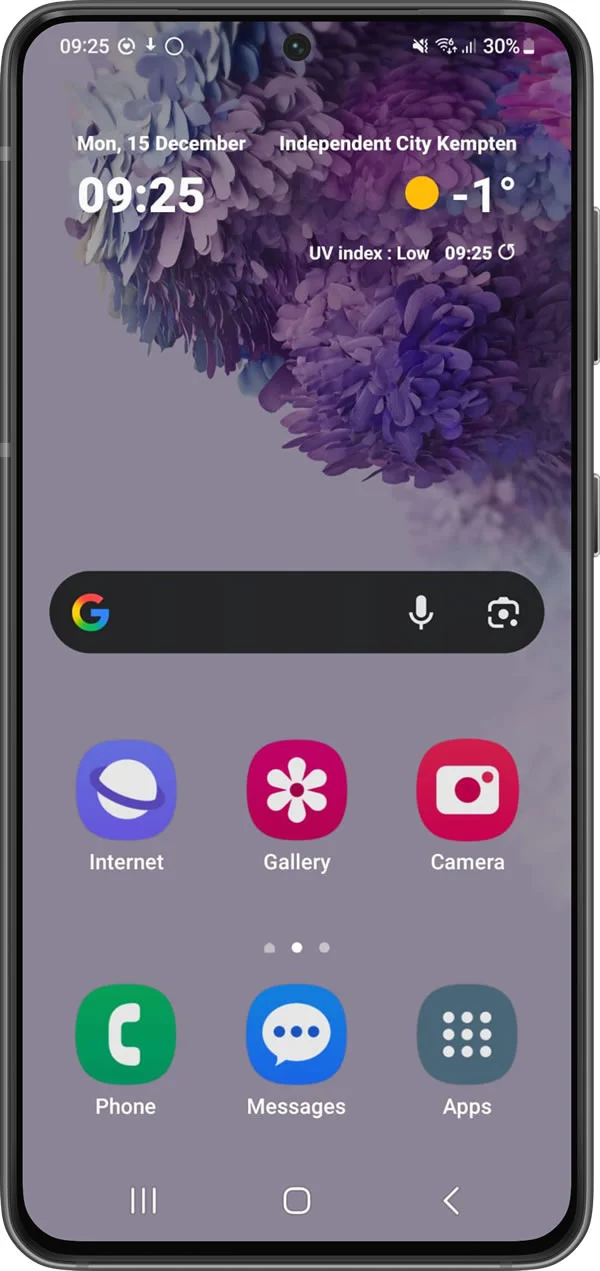
Home screen of an Android smartphone in simple mode. The date, time, location, weather and UV index are displayed at the top. Below this is a large Google search bar. In the middle are a few large app icons with labels: Internet, Gallery and Camera. Below these are Phone, Messages and a menu button. The interface is clear, with large spacing and easy-to-read font.
Home screen of an Android smartphone in simple mode with the view for adding contacts open. Several large placeholder icons for contacts with plus signs are arranged in a grid on the screen. The ‘Delete’ option is located at the top. At the bottom are permanently visible, large app icons for phone, messages and menu. The interface is minimalistic, with plenty of space and easily recognisable icons.
Home screen of an Android smartphone in simple mode with a reduced app overview. Three large app icons with labels are arranged in the centre: Play Store, Magnification and Settings. At the bottom are permanently visible, large buttons for Phone, Messages and Menu. The interface is clearly laid out, with plenty of space, large icons and easy-to-read font.
Android screenshot in simple mode with the on-screen keyboard open. At the top, you can see the Google search bar, into which ‘my-ux.com’ is entered. The background is dark. At the bottom, a large, high-contrast keyboard with yellow keys and black lettering takes up almost the entire screen. The keys are significantly enlarged and well spaced, and the language is set to German.

Activate the accessibility menu

Open Settings > Accessibility > Accessibility Menu. This provides large, simple buttons for important actions.

© 2026 HXI | Legal notice | Data Privacy | Notice of use | Accessibility information